
Nutrition
Food tracking,
for people who hate it.
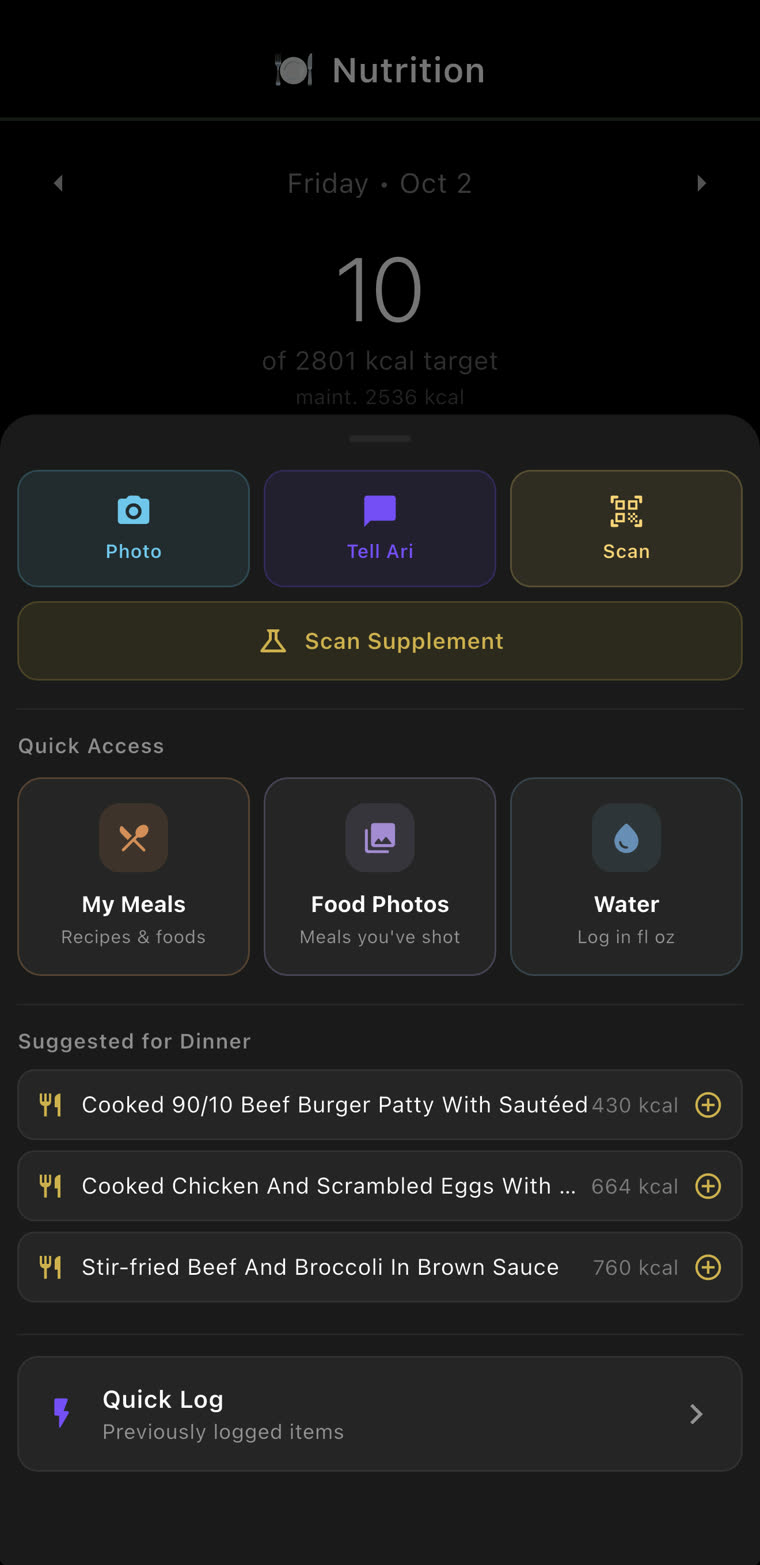
Snap the plate, tell Ari, or scan the barcode. Every guess is labelled as a guess, every meal you shoot is kept, and your targets follow your weigh-ins—after you say yes.
Swipe for more →
Log it
Tap Log. Pick your door.
Pick whichever one you’ll actually do. Perfect logging you quit in week three loses to lazy logging you keep.
- Photo.Shoot the plate. Ari works out what’s on it.
- Tell Ari.Say what you ate in plain words. No searching, no portion wrestling.
- Scan.The barcode. And Scan Supplement, for the bottle.
- Quick Log.Previously logged items. Had it before? Tap it.
- Water.In fl oz.
Snap it
You take the photo. Ari does the math.
One cheeseburger, start to finish, on a paper plate. Peak cuisine.
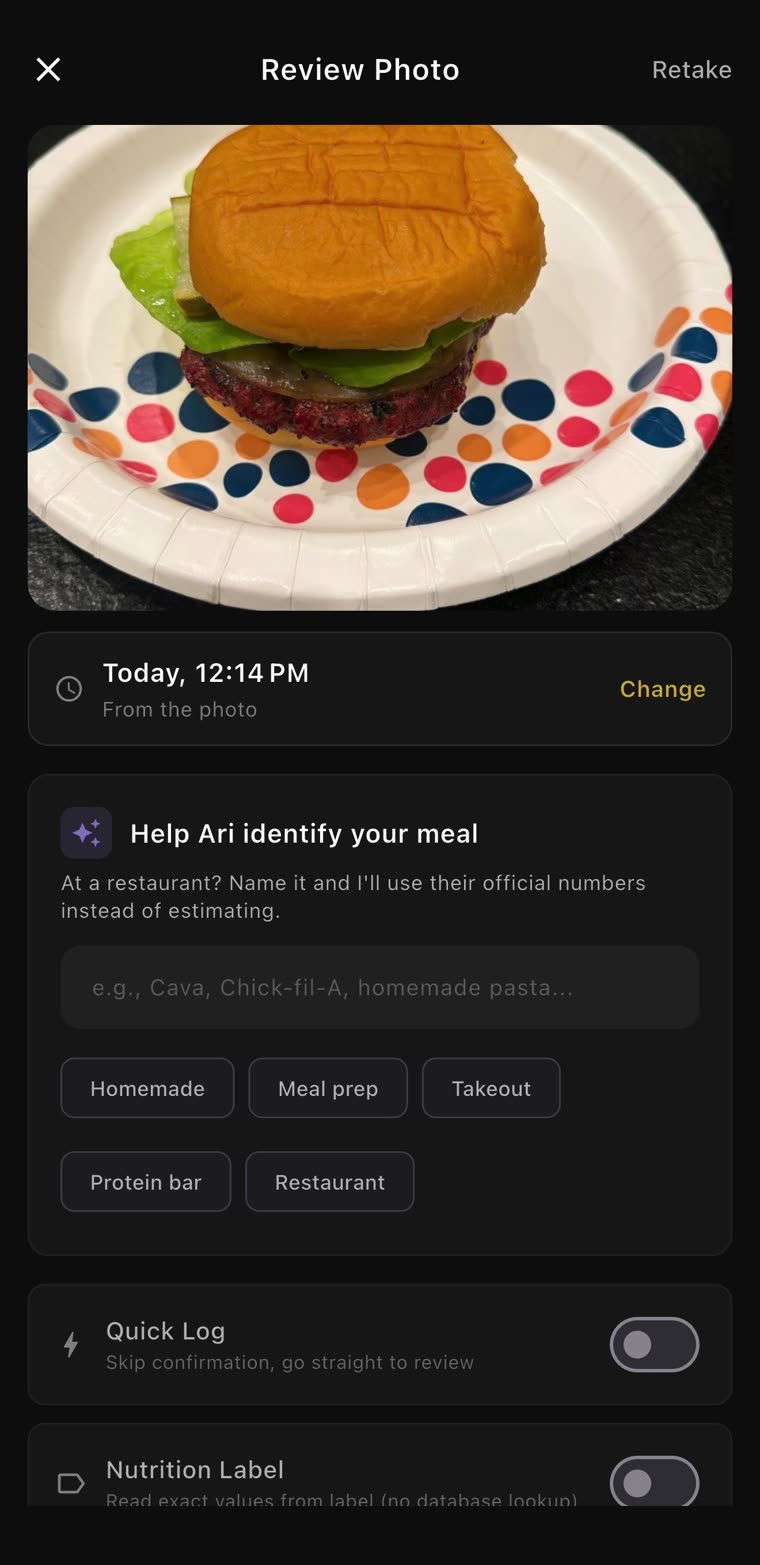
1. Snap.
At a restaurant? Name it, and Ari uses their official numbers instead of estimating.
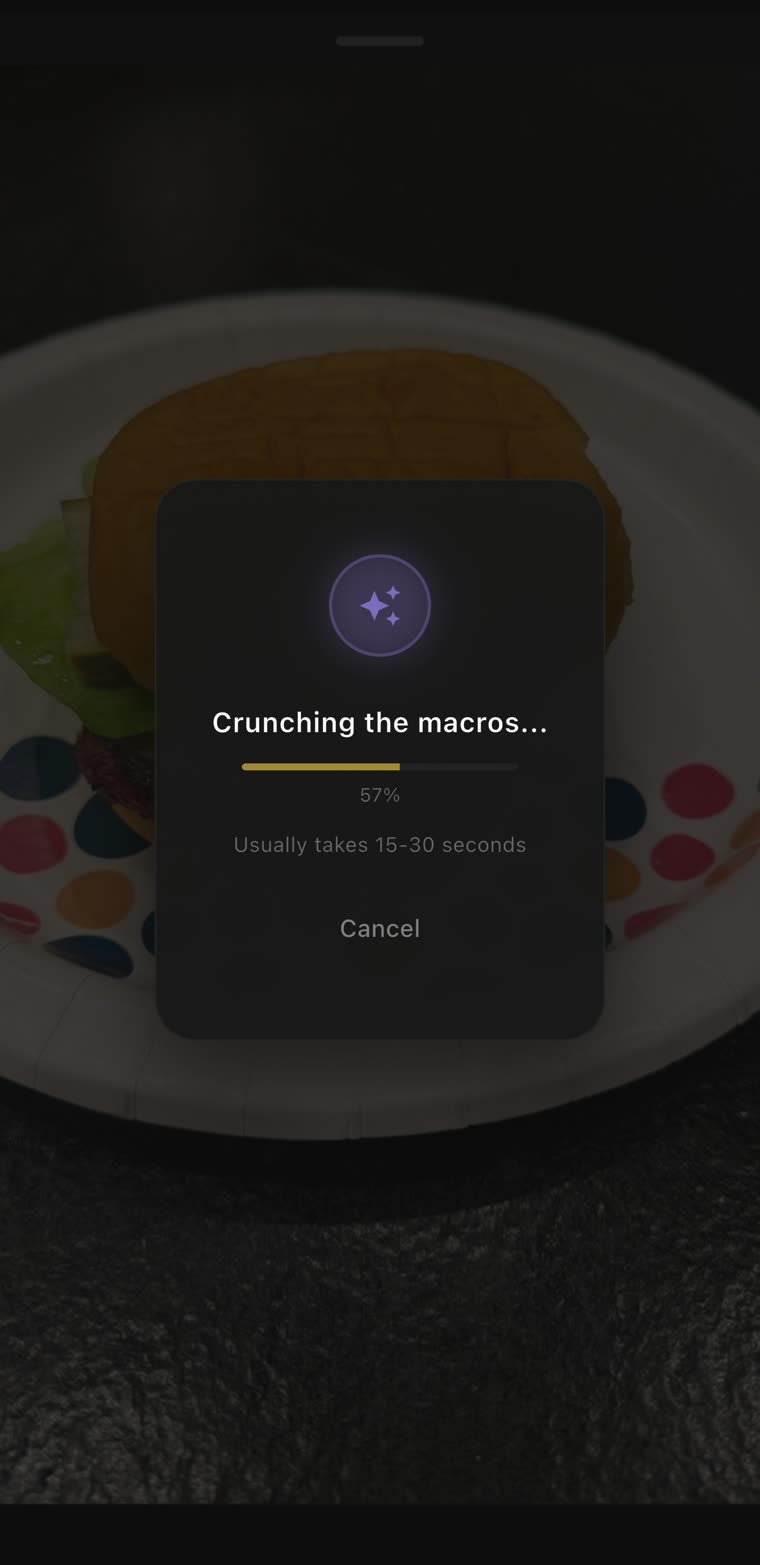
2. Wait.
“Crunching the macros…” Usually 15–30 seconds. Long enough to sit down.
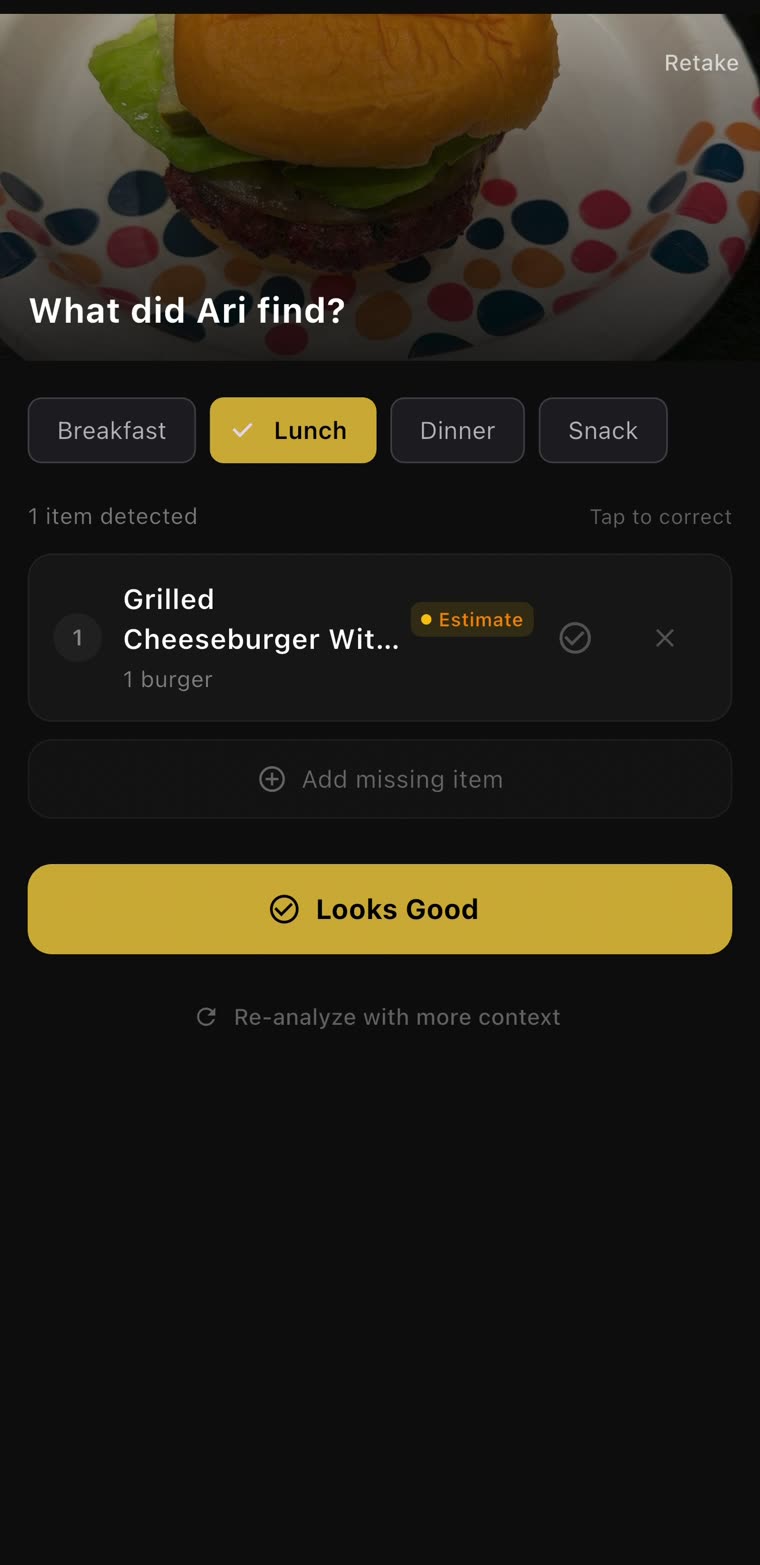
3. Check.
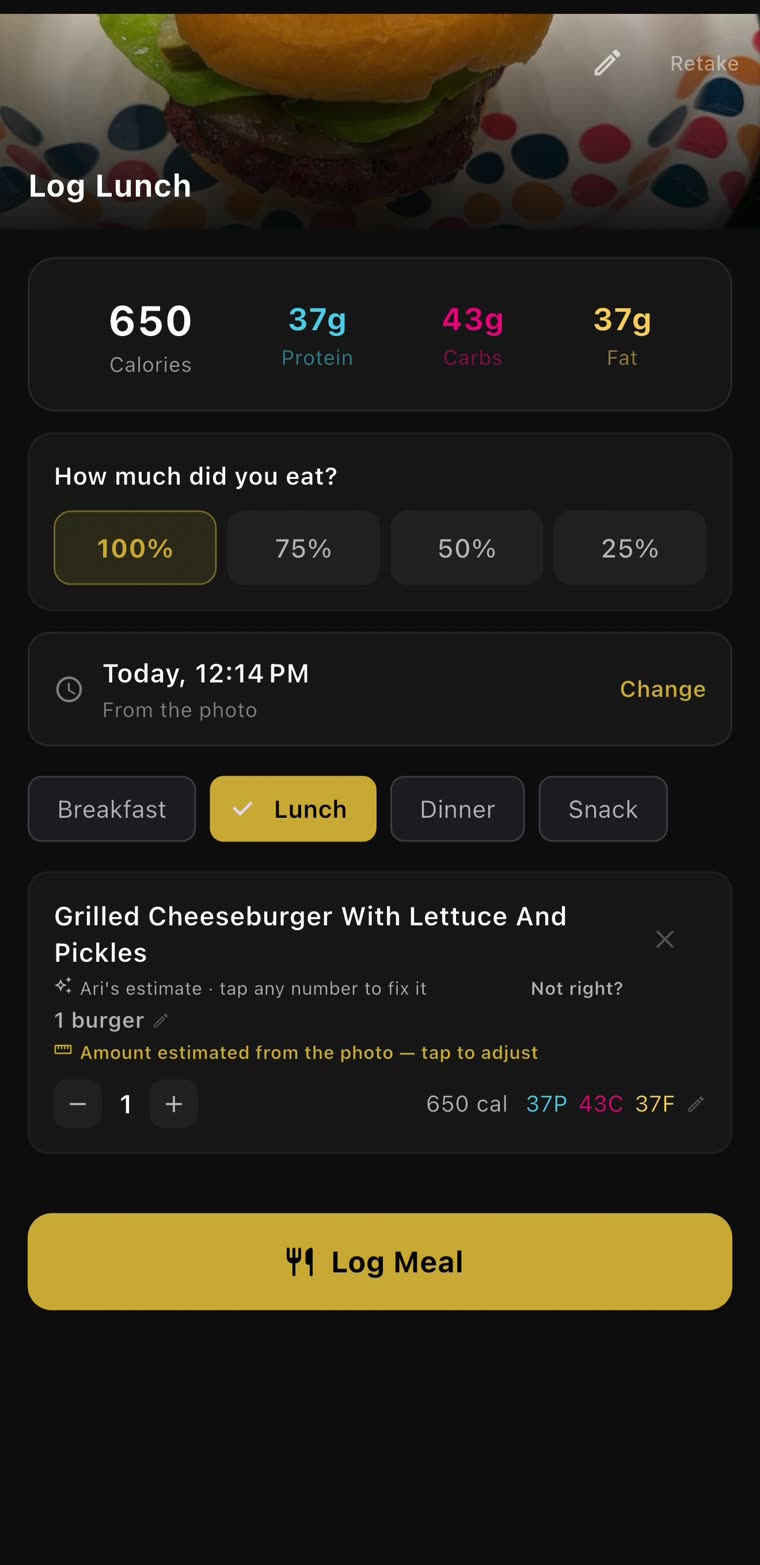
1 item detected: grilled cheeseburger, marked Estimate. Tap to correct it, or add what it missed.
4. Log.
650 calories, 37 g protein. Only ate three-quarters? Tap 75%. Then Log Meal.
Honest numbers
It tells you when it’s guessing.
Smoked pork belly burnt ends, about 8 oz, 949 calories. And the card says whose number that is: Ari’s estimate, with the amount estimated from the photo. Tap any number to fix it, or tap Not right?
It isn’t judging the burnt ends. Just estimating them.
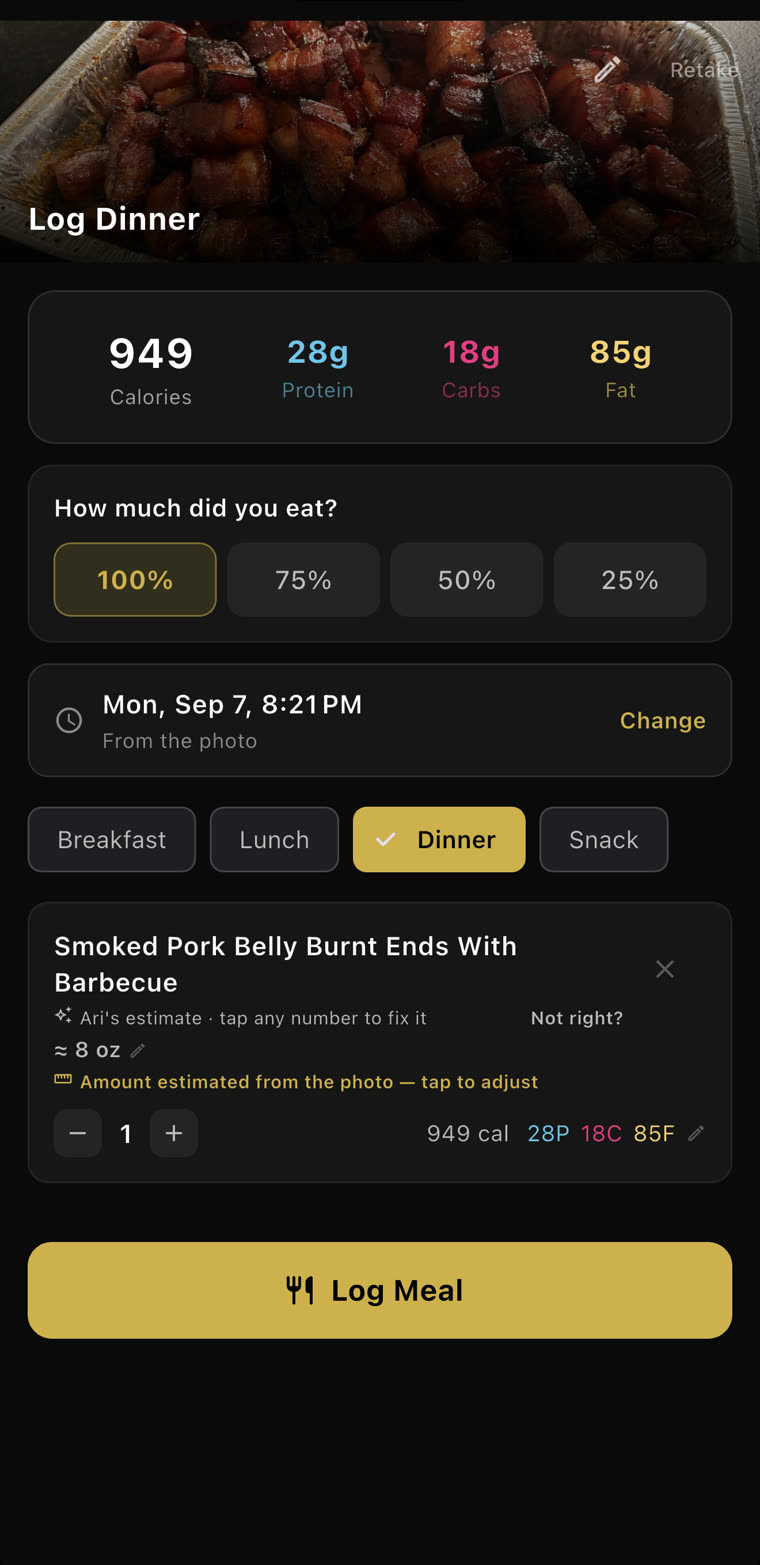
Every item wears one of these labels:
Verified · USDA
Plain foods, matched to USDA reference data. Labelled that way.
The restaurant’s menu
When it has the restaurant, it uses the restaurant’s own numbers—and names the menu.
Ari’s estimate
Everything else. Marked as a guess, never passed off as a measurement.
Raw or cooked?
Weighed your own chicken? Type it in and it asks. Eight ounces raw and eight cooked are two different meals.
Meal Photos
A food journal you’ll actually look at.
Every meal you shoot is kept—dated, named and counted. Months from now you can scroll back and see how it actually went, not a number you have to trust.
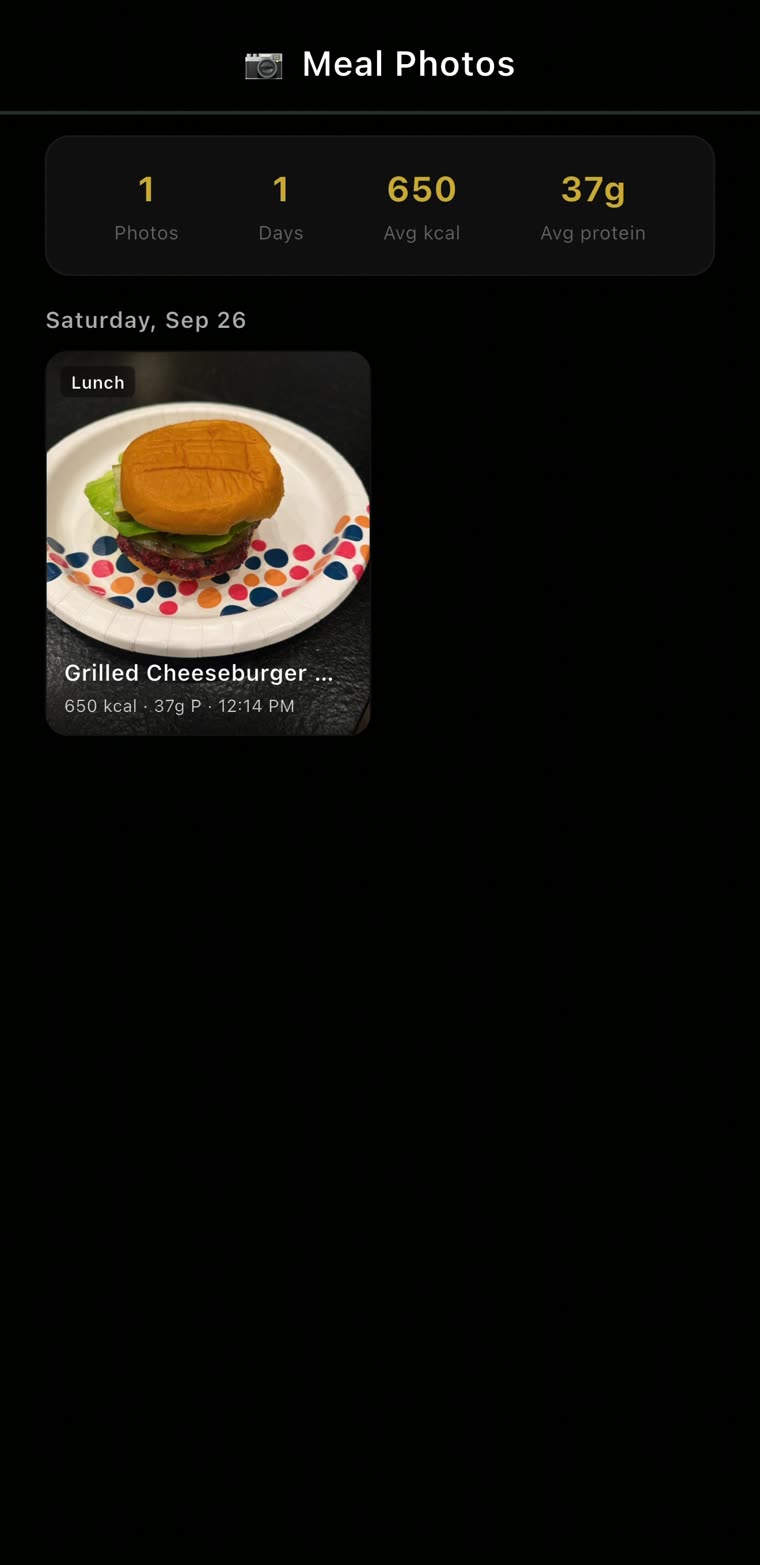
Every meal, kept.
1 photo, 1 day, 650 kcal average: one cheeseburger, Saturday, Sep 26, 12:14 PM. Yours will fill up.
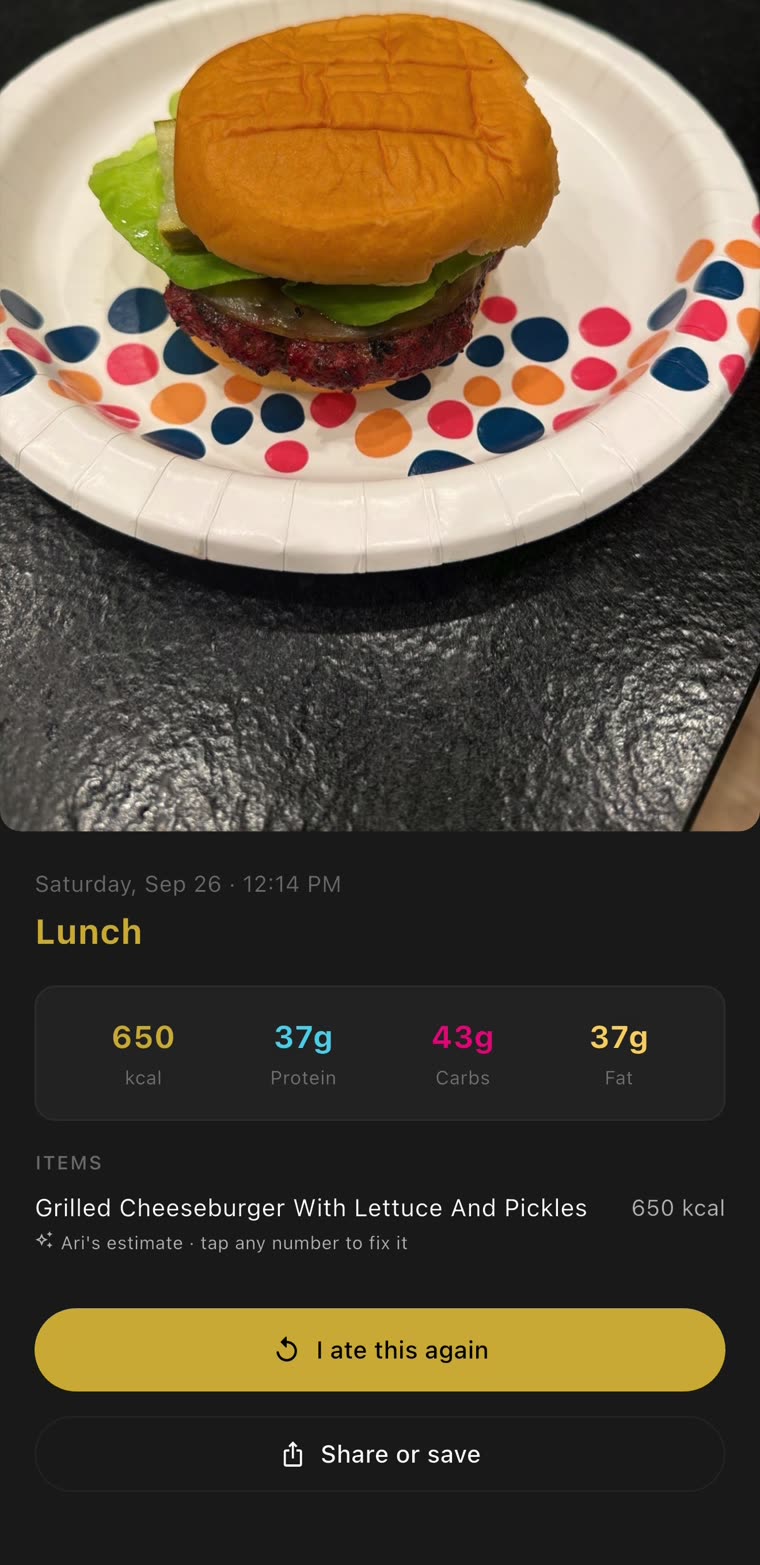
I ate this again.
Saturday’s lunch: 650 kcal, 37 g protein. Had it again? One tap logs it.
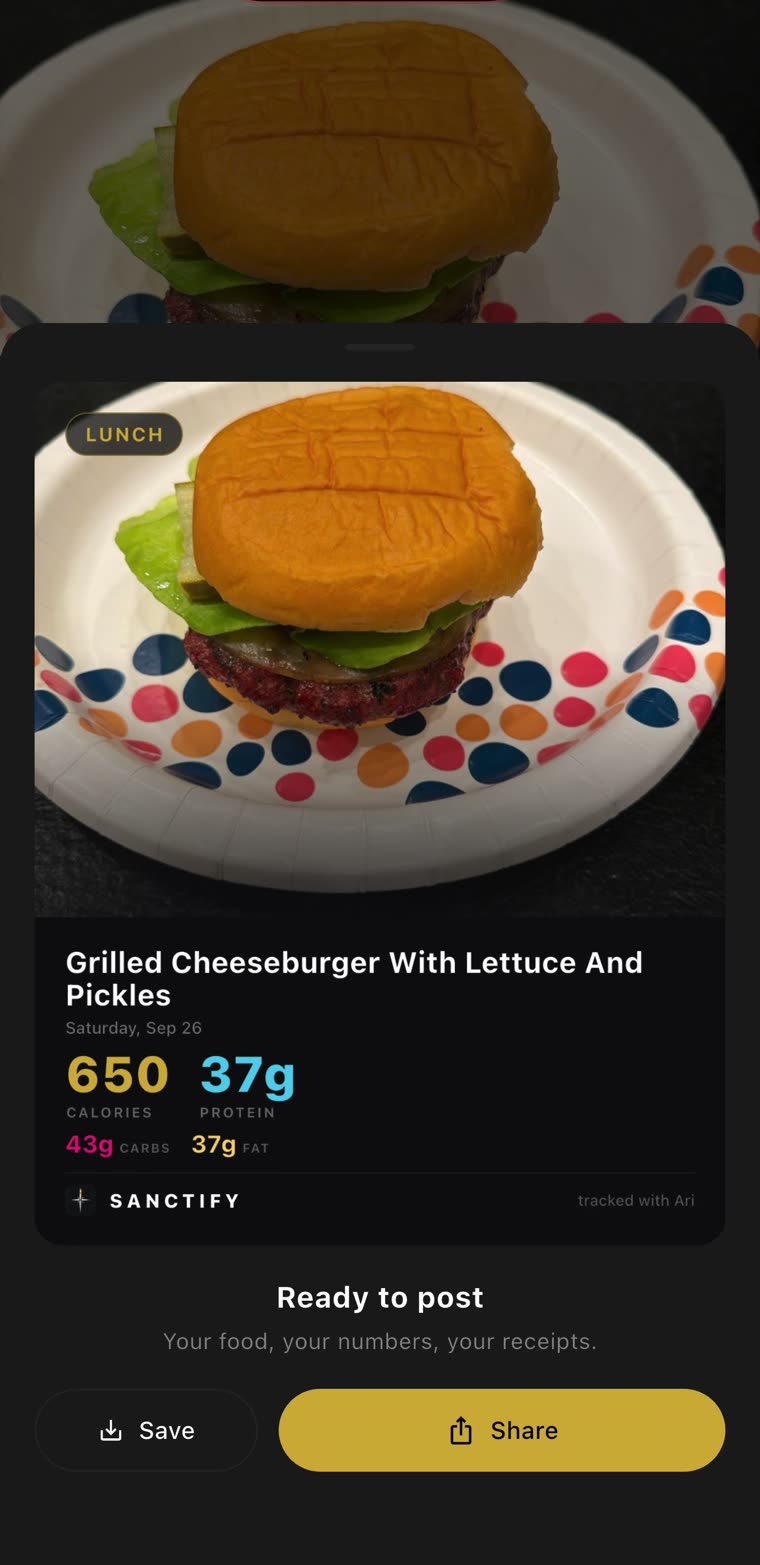
Share it.
650 calories, 37 g protein, ready to post. Your food, your numbers, your receipts.
Targets that keep up
Your target follows your weigh-ins.
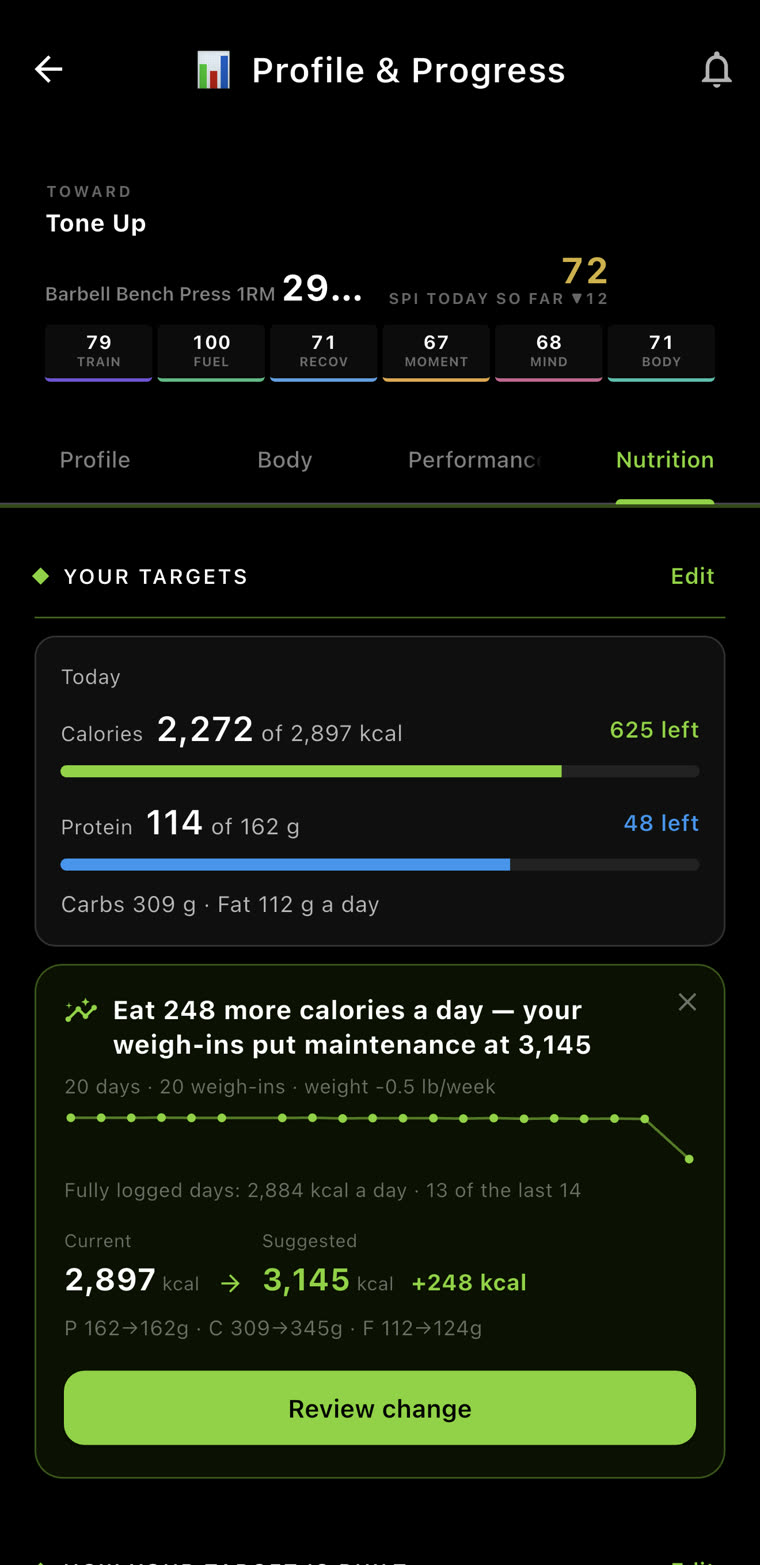
Eating about 2,884 a day and still losing half a pound a week? Then 2,897 isn’t your maintenance. It suggests the fix, shows every number it would touch, and waits.
1. It notices.
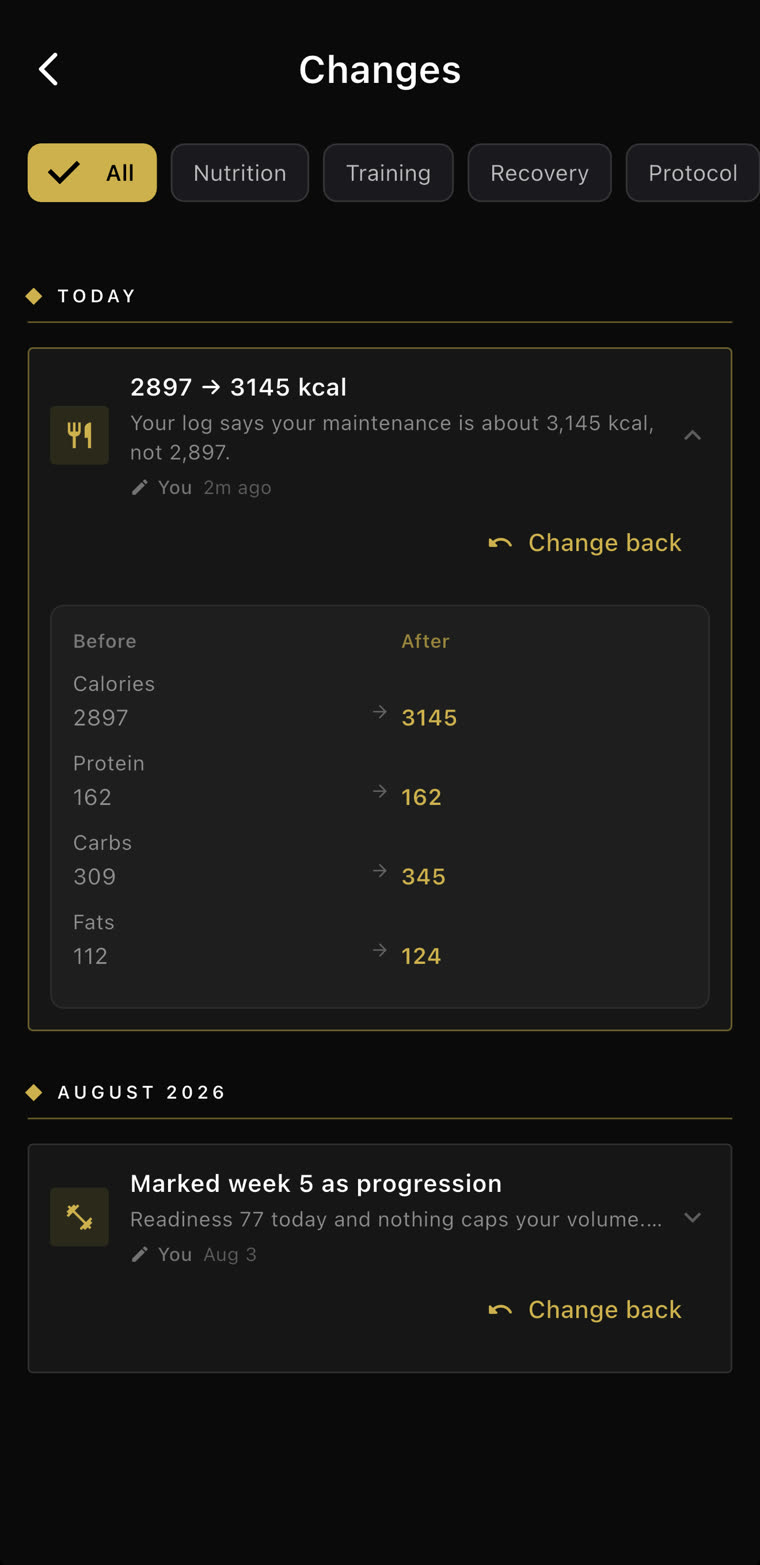
20 weigh-ins over 20 days put maintenance at 3,145. Eat 248 more a day? Review change.
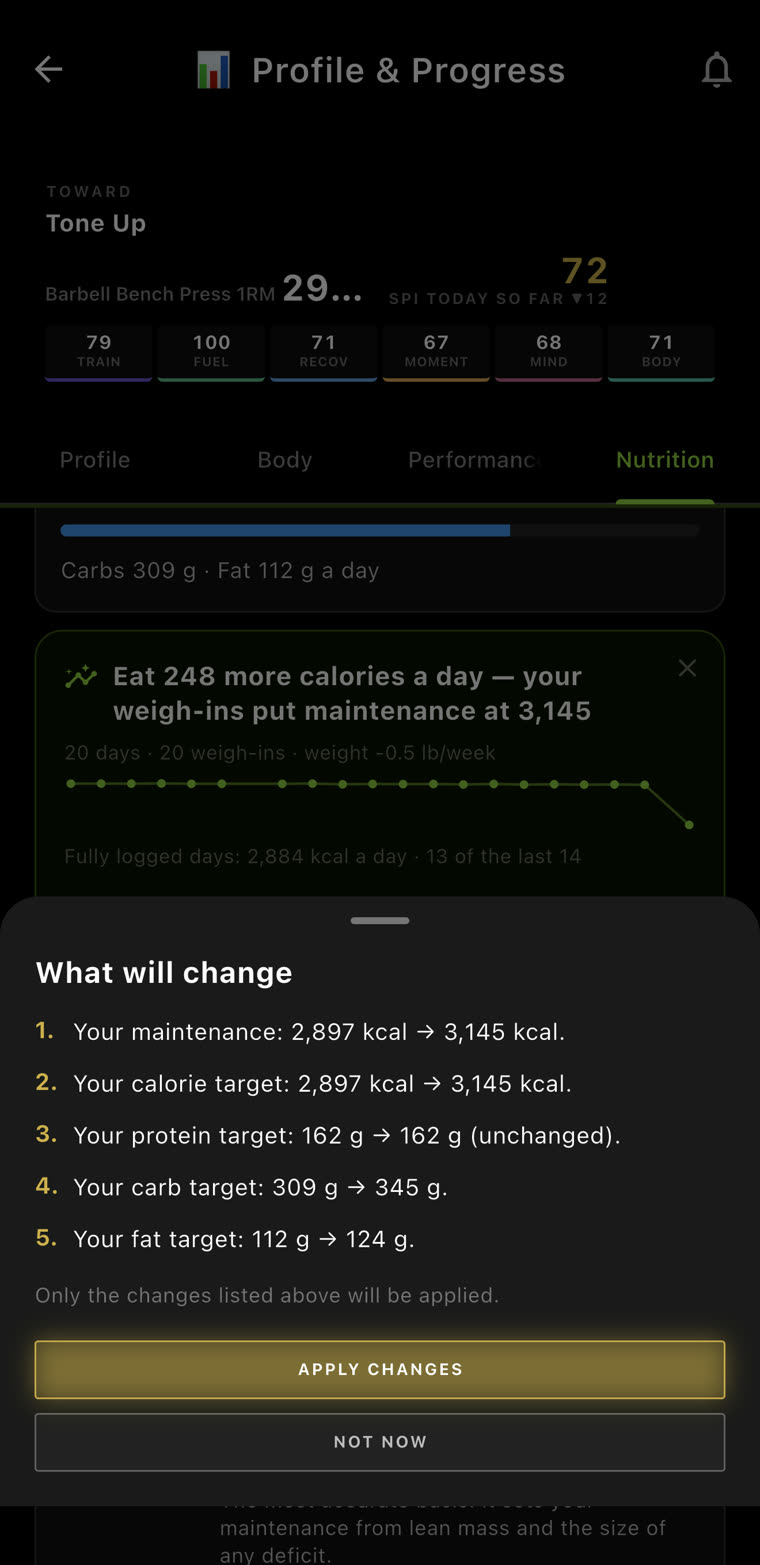
2. It shows you everything.
Maintenance, calories, protein, carbs, fat—before and after. Only the changes listed get applied.
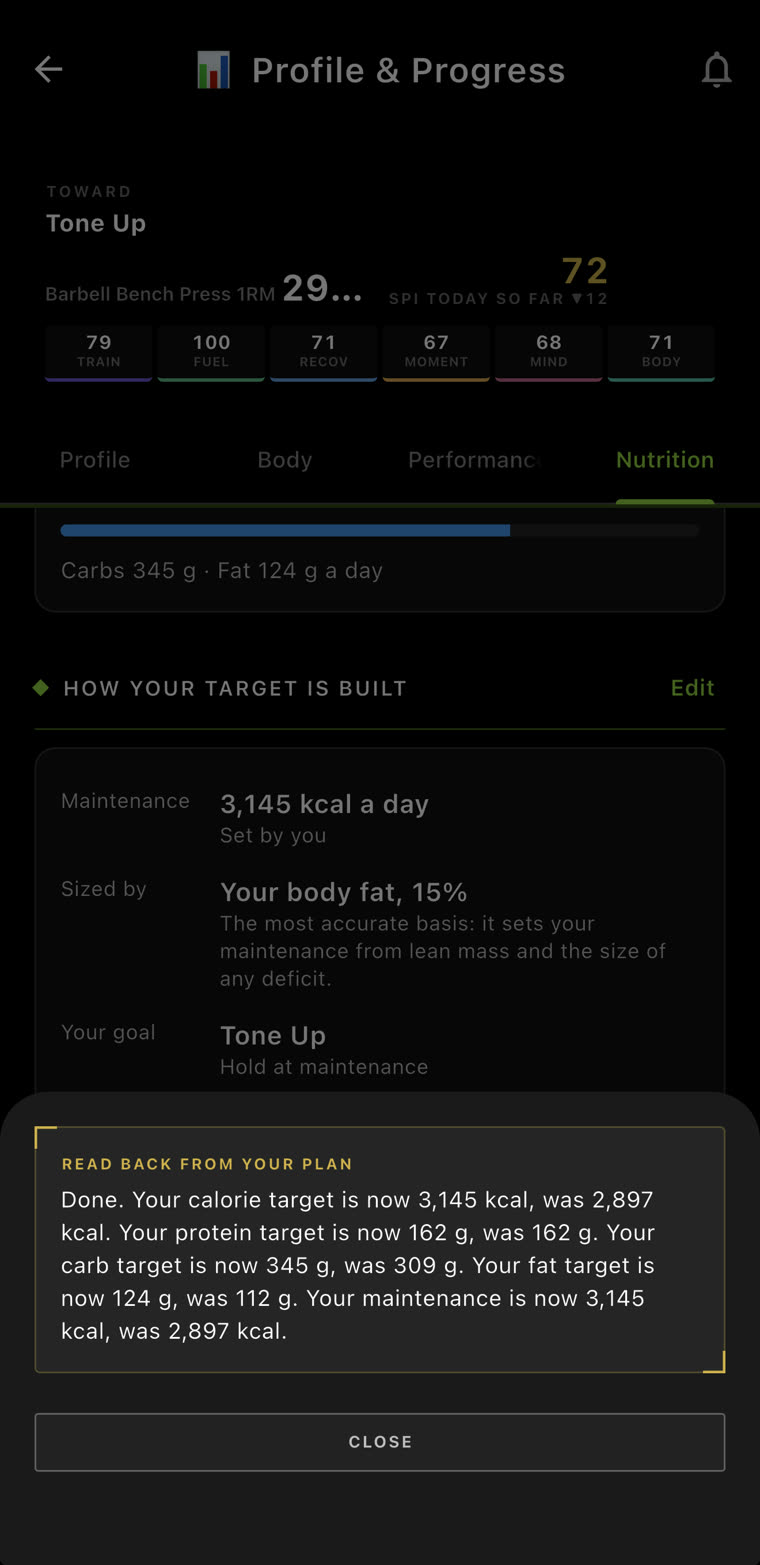
3. You say yes.
Apply changes, and it reads the new targets back: 3,145 kcal, was 2,897.
4. It keeps the receipt.
2,897 → 3,145, every macro before and after, and a Change back button.
No silent changes. If your calories moved, you moved them.
For her
Likely water isn’t weight gained.
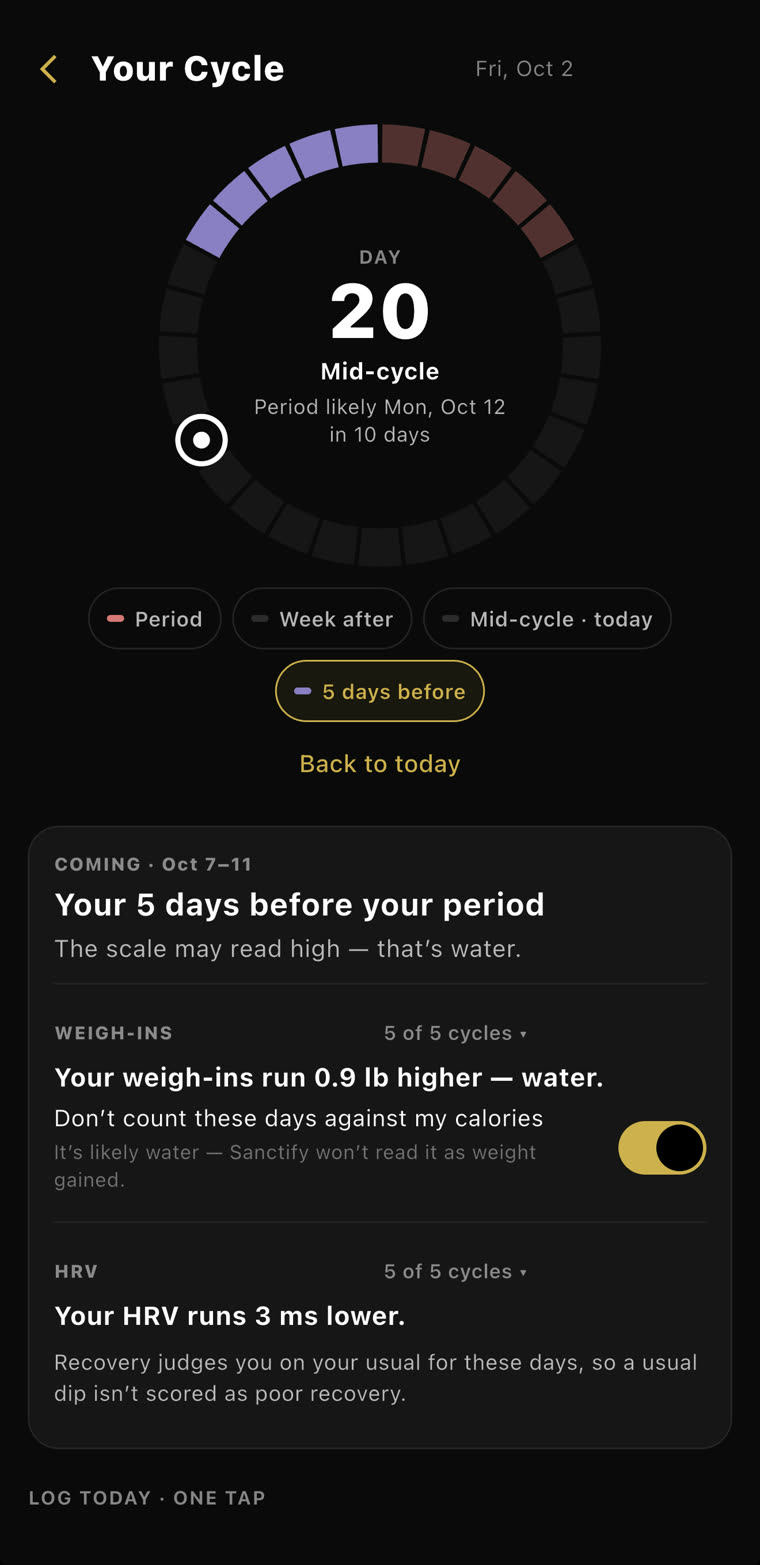
In the five days before her period, her weigh-ins run 0.9 lb higher. That’s water. One switch, and those days don’t count against her calories.
- Measured on her.5 of 5 cycles, her own weigh-ins. Not a textbook.
- Her call.Don’t count these days against my calories—on or off.
- Recovery knows too.Her HRV runs 3 ms lower those days, so a usual dip isn’t scored as poor recovery.
The scale can say what it wants.
Nutrition
Your food. Your numbers. Your receipts.
Log it the way you’ll actually keep doing it, and let your targets keep up with you.

iPhone, iPad and Apple Watch · Requires iOS 15 or later
Free to download · 7-day free trial · then $12.99/month